Turn a problem into inputs, rules and outputs.
CODEWHIZ · CYTRON LEARNING PATHWAY
REKA:BIT RBT
Design & smart systems
Connect design ideas to working systems with soil-moisture sensing, lights, motors and a water pump.
Applied RBT projectsmicro:bit · MakeCode · RBT
Placement, timetable, fees and kit arrangements are confirmed with CodeWhiz before enrolment.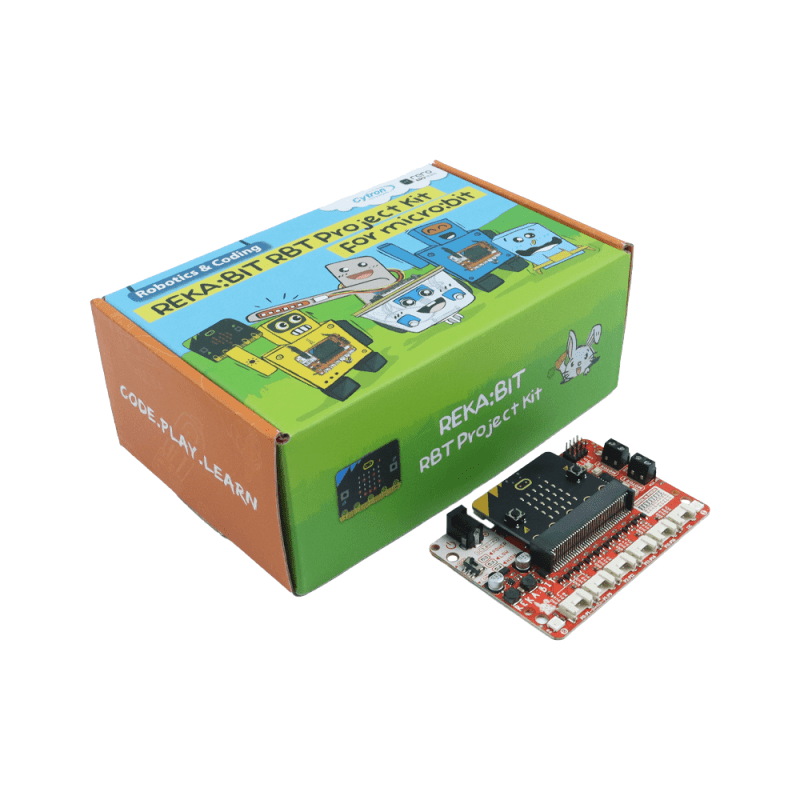
 CodeWhiz Sdn. Bhd.
CodeWhiz educators connect authentic hardware and official learning resources with guided building, coding and testing.
WHAT THEY’LL LEARN
Build confidence through making.
Move from “what should this solve?” to “how can we test it?”. This pathway connects RBT-style design thinking with sensors, coding and practical prototypes. The kit resources reference Malaysian RBT Year 5 and Year 6 topics.
Read sensor values and choose a suitable response.
Build, test and explain a useful prototype.
THE LEARNING JOURNEY
From an idea to a working system.
These themes describe the learning direction. The number of lessons, pace and challenge level are adapted to the learner and confirmed before enrolment.
Define the problem
Identify a user need and sketch a simple system before selecting components.
Explore the components
Investigate moisture and distance sensors, LEDs, motors, a servo and a water pump.
Make a decision
Use comparisons and conditions to decide when an output should activate.
Prototype & improve
Build a small system, test different readings and explain improvements with evidence.
PROJECT EXAMPLES
Something they can demonstrate.
Project examples show what the tools can support. Teachers choose suitable challenges as students progress.
Automatic plant watering
Use a moisture reading to decide when a pump should run.
Distance alert
Combine distance sensing with a visual signal for a parking-style challenge.
Interactive light display
Use programmable RGB lighting to communicate a changing system state.
Combine components into an open-ended design challenge. Learners document the problem, code, test results and changes rather than only copying a finished model.
FIND THE RIGHT START
Who is this pathway for?
Learners ready to connect coding to practical design problems, including those exploring RBT Year 5–6 concepts. Placement is based on experience rather than kit ownership.
Share previous coding experience, confidence with instructions and project interests. Our team will help match the starting point and teaching format.
A teacher guides the process.
The aim is to understand the project, not only follow a build. Students practise predicting, testing, debugging and explaining their choices.
01Build & connect
02Code & test
03Explain & improve
Course teaching is delivered by CodeWhiz using Cytron hardware and learning references. You can preview the official resources or explore hardware options separately. Shop prices refer to hardware, not course fees.
A few parent questions.
Does my child need to own the kit first?
Please speak to CodeWhiz before purchasing. We will confirm the exact hardware, what the learning package includes and whether an existing kit is suitable.
Is this the same as buying a kit or using free tutorials?
The course adds teacher guidance, project selection, debugging support and feedback. Public Cytron resources remain available; teaching arrangements and course fees are confirmed separately.
How many lessons are there, and what does it cost?
The course page describes learning themes, not a fixed package. Contact CodeWhiz to confirm the starting level, number of sessions, schedule, fees and kit inclusion for your learner.
Curious about REKA:BIT RBT?
Tell us a little about your learner. We will help you find the next practical step.